Platform how-to
When date fields disagree: order, ship and invoice dates, time zones and day-month swaps, and how to line them up
A sale has several dates, and each one gives a different monthly total. Knowing which date answers your question, and spotting the ones that were written wrong, keeps reports from arguing with each other.
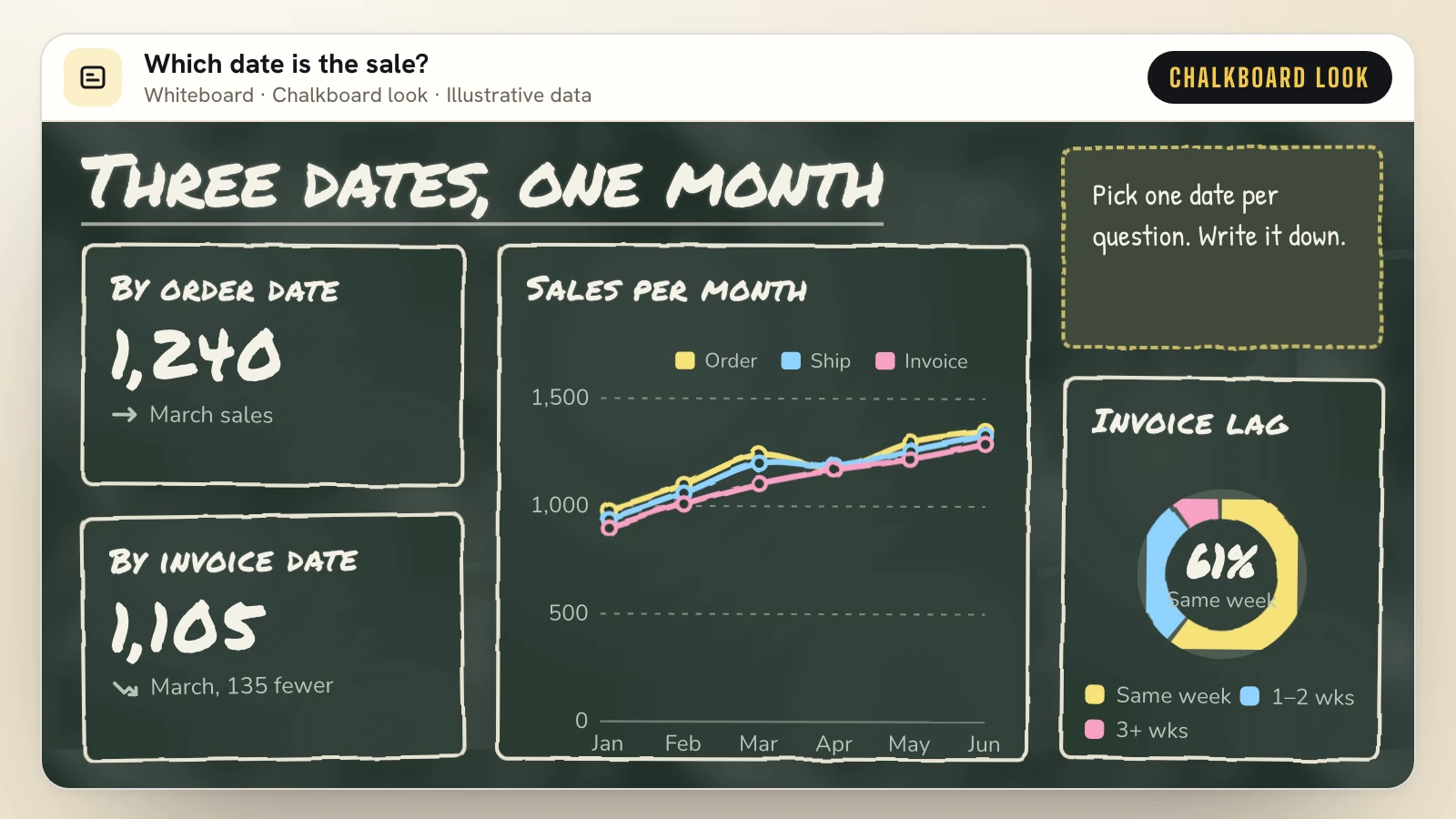
Elena runs finance at Wren and Barlow, a small company that sells kitchen equipment to cafés and restaurants. At the monthly meeting, sales said March had been a record month. Finance said March was flat. The warehouse said March had been busy but April was busier. All three were holding reports built from the same orders.
Nobody was wrong. Sales counted by the date an order was placed. The warehouse counted by the date it shipped. Finance counted by the date it was invoiced. An order placed on 30 March, shipped on 2 April and invoiced on 5 April belonged to March in one report and April in the other two.
On top of that, Elena later found a batch of orders from a European supplier where 04/03 meant 4 March, not 3 April. Dates look simple. They are one of the most common reasons reports disagree.
One order, several dates
Here is a single order as it appears across Wren and Barlow’s systems.
| Field | Value as recorded | Which month it lands in |
|---|---|---|
| Order date | 2026-03-30 21:40 (New York) | March |
| Order date, stored in UTC | 2026-03-31 01:40 | March |
| Ship date | 02/04/2026 | April, or February if read month first |
| Invoice date | 2026-04-05 | April |
| Payment date | 2026-05-04 | May |
Each of those dates is useful. The trouble starts when a report uses one without saying so, or when a date is read the wrong way round.
Five tips for dates that agree
Decide which date answers your question
Before building a report, ask what you want to measure. Demand points to the order date. Workload points to the ship date. Revenue in the accounts usually points to the invoice date. Cash points to the payment date. There is no single right date, only the right one for the question.
Name the date in every report
Write it on the chart or table: “Sales by order date”. That one phrase ends most arguments in meetings. When two reports disagree, the first thing to check is whether they counted by the same date.
Check which way round days and months go
Scan the column for values above 12. If the first number goes above 12, it is day first; if the second does, it is month first. If neither does, you cannot tell from the values alone, so check a few rows against something you know, such as a holiday closure or a delivery you remember. Different sources in the same folder may use different orders.
Know which time zone a time is in
A timestamp without a time zone is half a fact. Systems often store times in one standard zone while people read them in local time. Near midnight, that moves orders between days, and at month ends between months. Find out which zone each source uses and convert to one before counting by day.
Export dates as year-month-day
When you control the export, write dates as
2026-03-07. That format sorts correctly, cannot be confused with a day-month swap, and is understood by people and tools everywhere. If you include times, add the zone.
How the dates of one sale line up
It helps to see the dates as a sequence, each with its own owner and its own report.
- Ordered30 Mar, sales report
- month boundary
- Shipped2 Apr, warehouse report
- Invoiced5 Apr, finance report
- Paid4 May, cash report
What changed at Wren and Barlow
Elena did not ask everyone to use the same date. She asked everyone to label theirs. The monthly pack now shows sales by order date and revenue by invoice date side by side, with a sentence explaining why they differ. The chart at the top of this page shows the idea on invented figures: three lines, same trend, different months.
She also fixed the supplier file by reading its dates day first, which she confirmed by checking a few deliveries she remembered, and added a gap check that flags any order shipped before it was placed.
How Storek helps
Storek looks at every date column when files arrive. It works out whether a source writes day or month first from the values themselves, notices when times carry a zone, and keeps order, ship and invoice dates as separate fields so answers say which one was used. When a column could be read either way and the values do not settle it, it asks you which order is right rather than guessing.