Platform how-to
Keep your IDs consistent: leading zeros, prefixes and the small differences that stop files from matching
Most failed matches between two files come down to an ID that looks a little different on each side. A zero dropped here, a prefix added there. Here is how to spot it and keep it from happening.
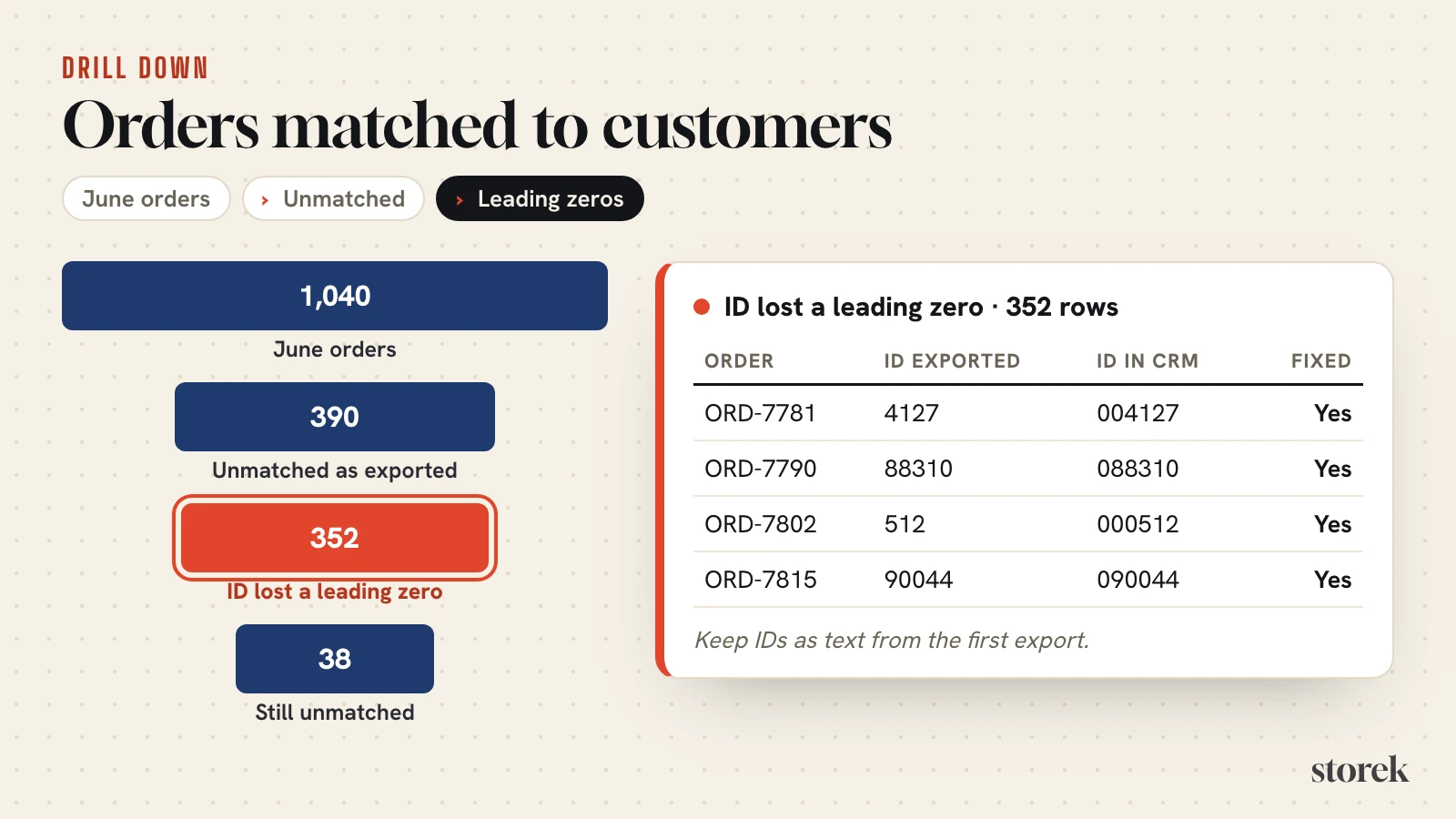
Priya runs operations at Larkspur Garden Supply, a small wholesaler that sells seeds, tools and planters to garden centres. Every month she joins two files: the order export from the sales system and the customer list the accounts team keeps. She wants a simple table of revenue by customer region.
One month the totals looked wrong. A third of the orders had no region at all. Nothing had changed in the business. What had changed was that someone on the accounts team had opened the customer list, sorted it, and saved it again. Every customer number like 00417 was now 417. The order export still said 00417. To a person those are the same customer. To a matching step they are two different strings, and so the orders quietly fell through.
This is the most common reason two files refuse to connect, and it is almost always fixable in minutes once you know what to look for.
What “the same ID” looks like when it isn’t
An ID can drift in a handful of ways as it passes between systems and people. Here is one Larkspur customer, as it appeared in five different places.
| Where it came from | How the ID looked | Problem |
|---|---|---|
| Sales system order export | 00417 | Reference form |
| Customer list, after re-saving | 417 | Leading zeros dropped |
| Invoicing tool | C-00417 | Prefix added |
| Delivery notes | c00417 | Lower case, no dash, trailing space |
| Old price list | 417.0 | Saved as a decimal number |
Every one of those rows refers to the same garden centre. None of them would match the first row exactly.
Six habits that keep IDs lined up
Treat IDs as text, never as numbers
An ID is a label that happens to be made of digits. You never add customer numbers together. When you open or import a file, mark ID columns as text so the zeros stay. If your tool asks what type a column is, the answer for anything called a number, code or reference is text.
Pick one form and write it down
Decide whether your customer IDs carry their zeros and their prefix, then note it somewhere the team will see it, even a line at the top of a shared folder. “Customer IDs are five digits with leading zeros, no prefix” settles arguments before they start.
Strip the decoration before you compare
Prefixes like
C-,CUSTor#and stray spaces are decoration. Before matching, take a copy of the ID column and remove them, make everything the same case, and trim spaces at both ends. Keep the original column too, so you can always see what came in.Check that a prefix means only one thing
Sometimes a prefix carries meaning. If
C-123is a customer andS-123is a supplier, stripping both to123would merge two different companies. Look at which prefixes appear in the column before you remove any. If there is more than one, keep it as a separate column.Watch for decimals and scientific notation
Long numeric IDs can come back as
417.0or4.17E+11after a round trip through a spreadsheet. These are a sign the column was treated as a number. Re-export from the source system rather than trying to repair them, because digits at the end may already be lost.Count the matches every time
After any join, count how many rows found a partner. If last month it was nearly all of them and this month it is two thirds, the files changed, not the business. That one number catches most ID problems the day they appear.
Where the drift creeps in
It helps to know the moments an ID is most at risk. In Larkspur’s case it was a re-save, but there are a few usual suspects.
- Source system00417
- Export to a filestill 00417
- zeros dropped here
- Opened and re-savedbecomes 417
- Joined to ordersno match
Copy and paste between sheets, merging two lists by hand and exporting from an older version of a tool are the other common moments. None of them are anyone’s fault. They are just the places to look first.
Why it is worth the ten minutes
A broken match is quiet. Nothing errors, nothing turns red. The report simply runs on fewer rows than it should, and the totals look plausible. Priya only noticed because she knew roughly what the regional numbers ought to be. A newer colleague might not have.
Once she set the customer list to keep IDs as text, and added a small cleanup step that strips prefixes and trims spaces before the join, the missing third came back. The hero chart at the top of this page shows the same idea on invented numbers: the business did not change, only the number of orders that could find their customer.
How Storek helps
Storek compares the values in your files when they arrive, so it notices when C-00417, 00417 and 417 are almost certainly the same customer. When the pattern is clear across the whole column, it lines them up and tells you what it did. When it is not sure, for example when two different prefixes share the same numbers, it asks you rather than guessing. You still benefit from tidy IDs, and you do not have to catch every slip yourself.