Platform how-to
Name your columns plainly and export the lookup tables, so a code like 3 still means something next month
A file full of codes only makes sense to the system that wrote it. Plain column names and the small tables that explain the codes turn an export into something anyone can read and connect.
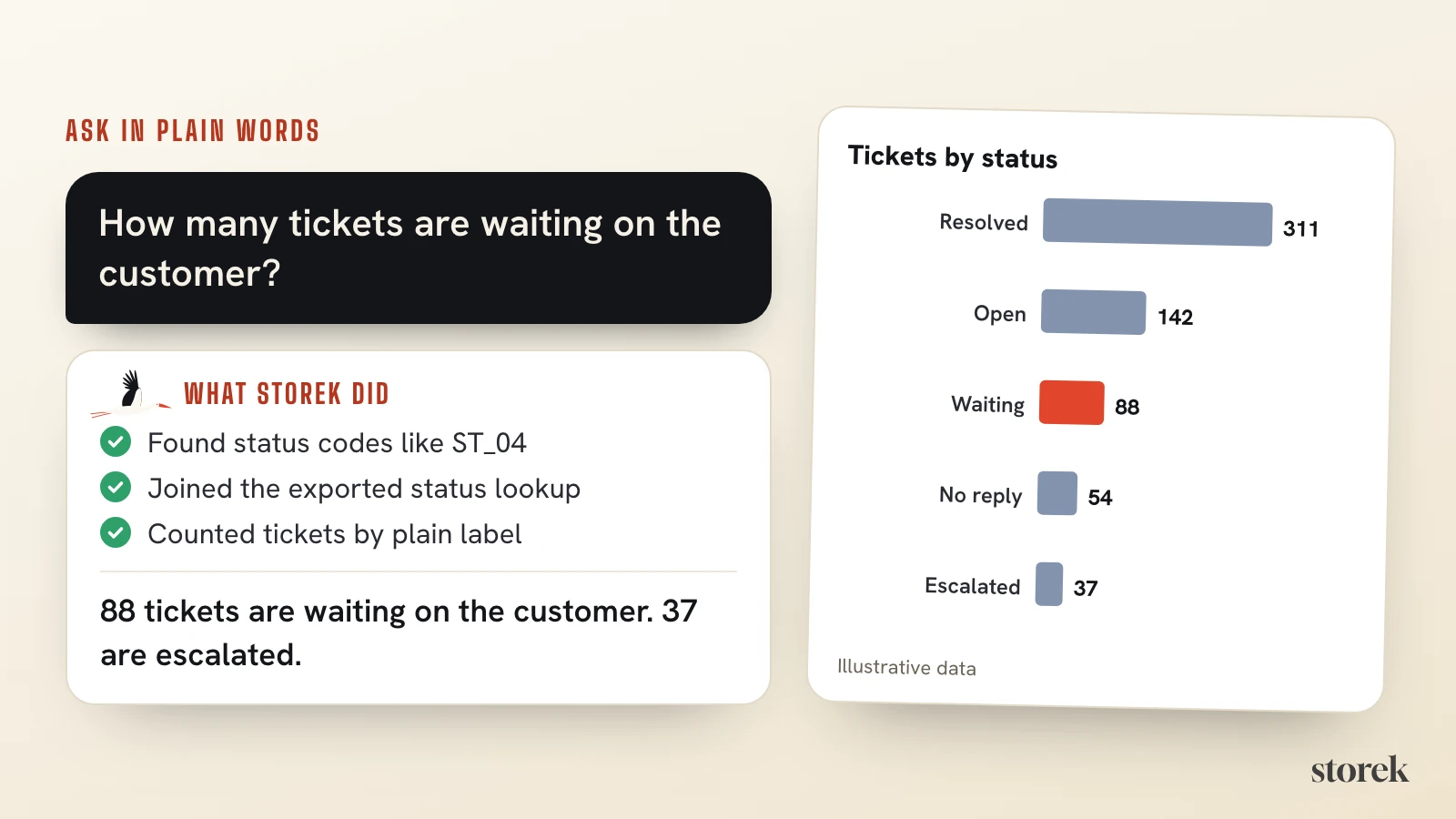
Tomás manages the support team at Halden Home Services, a company that sends technicians out to fix boilers and heating systems. His manager asked a fair question: how many tickets are stuck waiting on the customer, and does that differ by region?
Tomás exported the ticket list. It had columns called st, rg_cd, pri and fld7. The status column was full of numbers from 1 to 5. The region column had codes like N2 and SW. He knew some of them from memory. He was fairly sure 2 meant “waiting on customer”, but he was not certain, and his manager was going to show the answer to the board.
The export held every fact he needed. What it lacked were the two small things that make an export readable: plain column names and the lists that explain the codes.
Before and after
Here are three rows of Halden’s ticket export as it came out of the system, and the same rows after a little preparation.
| st | rg_cd | pri | fld7 |
|---|---|---|---|
| 2 | N2 | H | 2026-10-03 |
| 4 | SW | L | 2026-10-04 |
| 3 | N2 | H | 2026-10-04 |
| Status | Region | Priority | Opened on |
|---|---|---|---|
| Waiting on customer | North (Leeds depot) | High | 2026-10-03 |
| Resolved | South West | Low | 2026-10-04 |
| Escalated | North (Leeds depot) | High | 2026-10-04 |
Nothing about the facts changed. The second table can be read by anyone, compared with other files, and handed to the board without a phone call to the one person who remembers what fld7 was.
Five tips for exports that explain themselves
Rename columns to what a newcomer would call them
Imagine someone who joined last week opening the file. They would say “status”, “region”, “opened on”. Use those words. Spell things out, avoid internal abbreviations, and include the unit where it matters, such as “Amount (EUR, excl. tax)”.
Export the lookup tables alongside the main file
For every coded column, find the list that explains it: statuses, regions, product categories, reason codes. Export each as its own small file with two columns, the code and its meaning. Keep them in the same folder as the main export so they travel together.
Keep the code as well as the label
When you add the meaning, do not throw the code away. Codes are steadier than labels: someone may rename “Escalated” to “Needs review” next year, but code 3 stays 3. Keeping both lets you match old and new files and still read the result.
Date your lookup lists
Lookup lists change. A new region opens, an old status is retired. Put the date in the file name, such as
ticket-statuses-2026-11.csv. When numbers look odd later, you can tell whether a code meant something different at the time.Note the columns you could not explain
Every export has a mystery column or two. Rather than deleting them or guessing, write a short note: “fld7 appears to be the date opened; not confirmed”. An honest gap is much safer than a confident wrong label.
How the pieces connect
Once the lookup tables sit next to the main export, the connection between them is simple: each code column points at the list that explains it.
The answer Tomás could stand behind
With the status list exported, Tomás confirmed that 2 really did mean “waiting on customer”. He also found something he had not expected: code 5, which he had assumed was “closed”, actually meant “closed, no reply from customer”. Those tickets belonged in the board’s question too. The chart at the top of this page shows the kind of view he ended up with, using invented numbers.
It took him an afternoon to set up plain names and the lookup files once. Since then, every monthly export lands in the same folder with its lists beside it, and nobody has to remember what fld7 meant.
How Storek helps
When you add an export and its lookup tables to Storek, it notices that a column of codes in one file matches the code column of a small two-column list, and connects them so answers show “Escalated” rather than 3. It reads cryptic headers by looking at the values underneath, and if a column could mean two things, it asks you instead of guessing. Plain names and exported lookups still make everything clearer, for Storek and for the people reading your reports.