Platform how-to
PII masking for analytics: when to mask, tokenize or block, and how joins and counts keep working
You need to count customers, join orders to tickets and find repeat buyers. You don't need to read anyone's email address to do it. Here's how the four actions differ and which to use where.
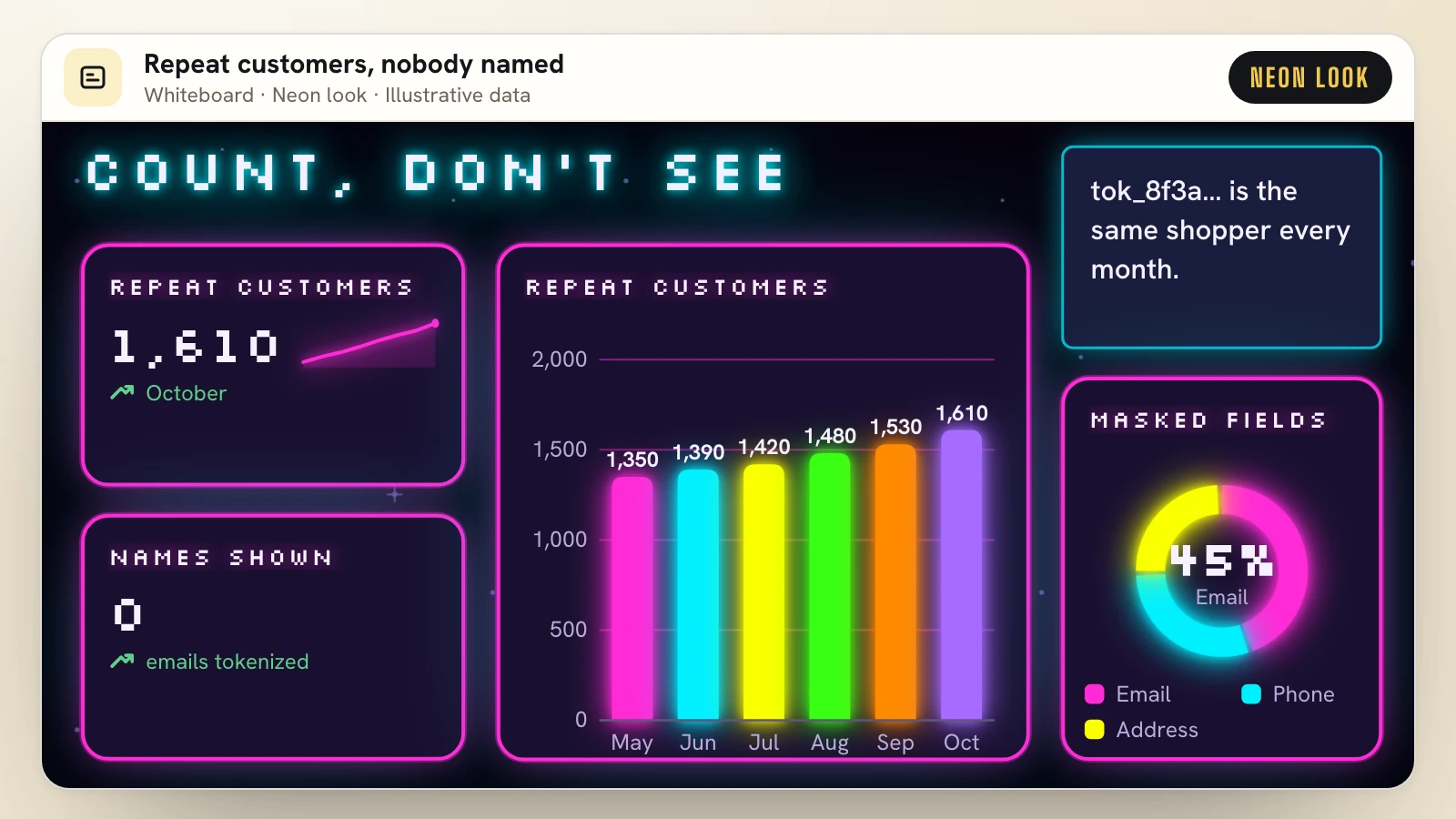
Most analytics questions are about people in aggregate. How many customers bought twice this quarter? Which accounts opened more than three tickets? What share of returns come from the same few shoppers? Every one of those needs a personal-data column, usually an email or a customer ID, and not one of them needs anybody to read it.
That gap is what masking is for. Done well, it lets the numbers work while the people stay private.
The four actions
There are four things you can do with a column that holds personal data. Storek applies one of them to each column it labels.
| Action | What a reader sees | Joins and distinct counts | Use it for |
|---|---|---|---|
| Allow | The real value | Work | Columns that aren't personal, or that every reader may see |
| Mask | The shape: j*******@a***.com, ***-**-6789 | Not on the masked text | Showing that a value exists without showing it |
| Tokenize | A stable stand-in, the same for the same value | Work | IDs and emails you need to count, match or join on |
| Block | Nothing; the column can't be read | No | Values no analysis needs, such as full card numbers |
Here’s how one row of an orders export reads under each. The values are invented.
| Column | Masked | Tokenized | Raw (only with a reveal grant) |
|---|---|---|---|
| j*******@a***.com | tok_7Q2M9B | hidden | |
| phone | ***-***-4410 | tok_K81D2X | hidden |
| customer_id | C-******-19 | tok_55RW0A | hidden |
Why tokens keep the math right
A token is stable. The same email gets the same token every time it appears, in every table of the workspace. So anything that only needs to know whether two values are equal still works:
“How many customers ordered more than once this month?”
- counted orders per customer using the protected email, never the real one
- kept only customers with two or more orders this month
- masked every name and email in the result
You get the real repeat-customer count, and nobody ever sees an address.
Dig deeper: see how it works
The same email always becomes the same protected token, in every table, so counts and matches work exactly as they would on the raw value. Reveal stays off unless someone is allowed to see that field.
For analysts
-- Repeat customers this month, counted on the tokenized email
SELECT COUNT(*) AS repeat_customers
FROM (
  SELECT email_token
  FROM orders
  WHERE order_date >= DATE '2026-10-01'
  GROUP BY email_token
  HAVING COUNT(*) >= 2
);
That count comes out the same on tokens as it would on raw emails. Matching works the same way: orders and support tickets both carry the protected email, so “customers who ordered and then opened a ticket” is an ordinary question. The chart at the top of this page was counted exactly like this.
What a token can’t do is reveal anything about the value. You can’t filter on part of it (all addresses at one domain, say) unless that part lives in its own column, and you can’t sort or do arithmetic on it. For an ID or an email, that’s rarely a loss.
How to choose, column by column
Let detection find the columns first
People miss personal data in exports: a phone number in a “notes” field, an email in “created_by”. Storek detects it automatically in five layers: patterns with validators (such as the Luhn check for card numbers and IBAN checks), name detection, the column’s meaning, an entity-recognition model, and a language model for columns that are still unclear. It uses 35 label types.
Tokenize anything you count or join on
Customer IDs, emails, account numbers, member IDs. If a question will ever say “how many distinct” or “match to,” tokenize it.
Mask what people need to see exists
A support lead may need to see that a contact has an email on file without reading it. Masking keeps the shape so the value is recognizable as an email or a phone number.
Block what no analysis needs
Full card numbers and government ID numbers rarely belong in an analytics question. Block them. Storek fails closed: if it can’t apply the rule for a column, the column isn’t shown.
Grant reveals to named people, per field
Some roles need the real value: a payroll lead for a tax ID, a loss-prevention lead for a shopper. Storek’s reveal grants go per person and per field and are re-checked on every query. A clean-room lock turns every reveal off, admins included. The audit log records which labels were read and how many rows, never the raw values.
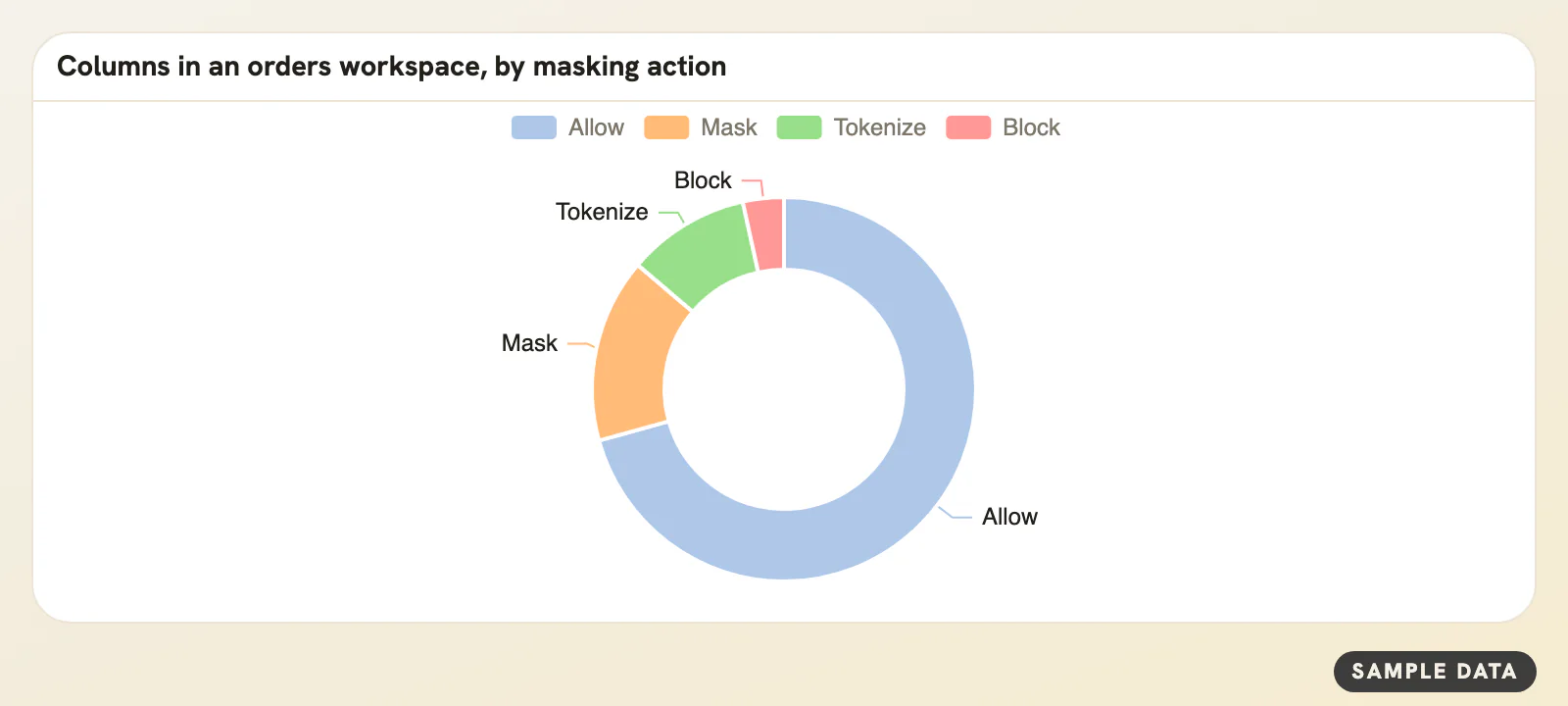
The same rules for every reader
Masking only helps if there’s no side door. In Storek, the rules apply wherever data is read: in chat, on dashboards, in tables and reports, and when someone connects Claude or another assistant through the read-only MCP connector. The assistant sees what the person who connected it is allowed to see, and nothing more.
Sources
- Regulation (EU) 2016/679 (GDPR), Article 4(5) and Recital 26 · EUR-Lex · checked November 9, 2026