Platform how-to
What a data lake actually is, in plain words, and when a small company needs one
Strip away the jargon and a data lake is a big, tidy folder for every export and feed you have, kept as it came. Here is when that helps a small company, and when a spreadsheet is still fine.
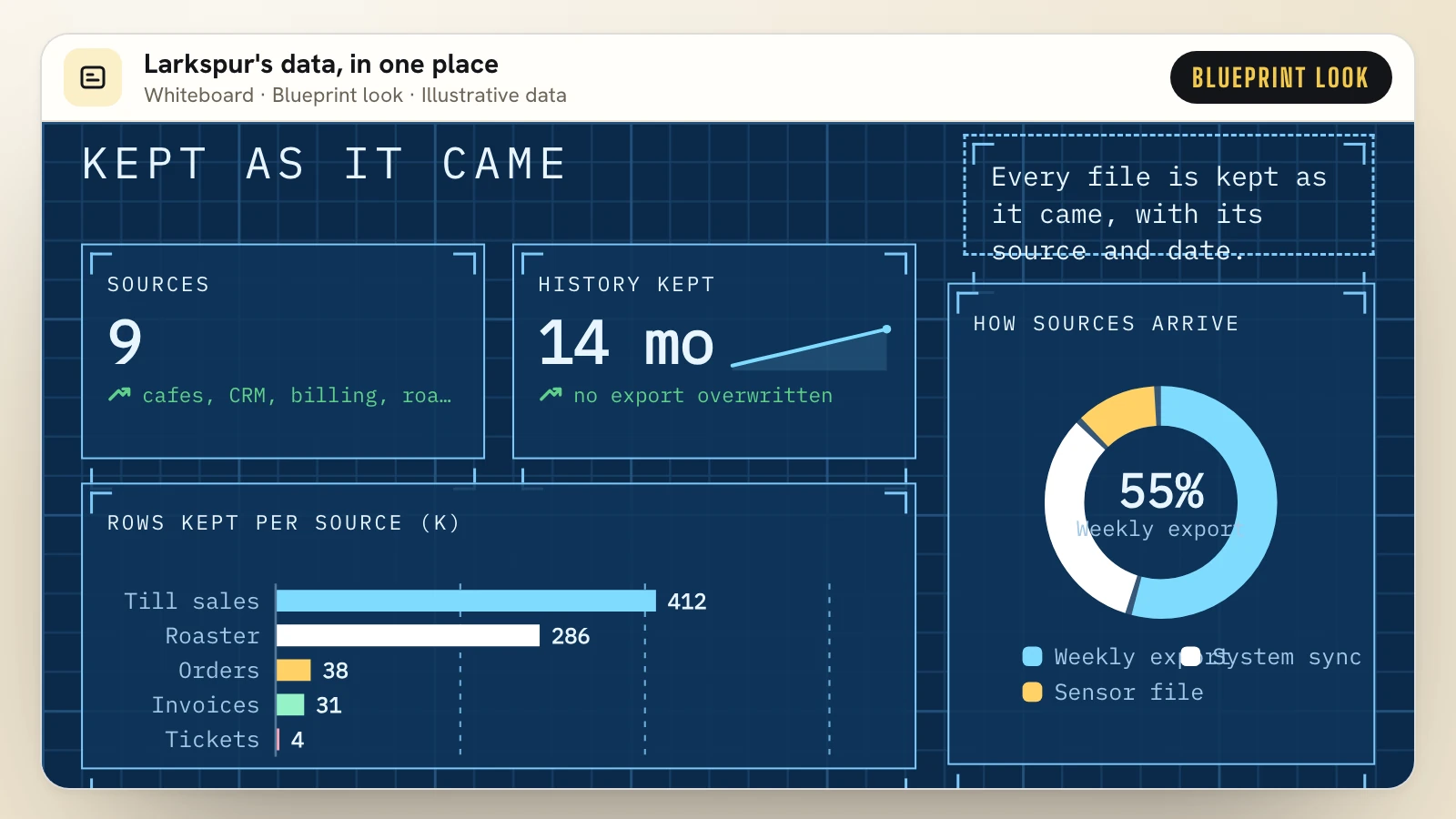
A data lake is one place where a company keeps all of its raw data, as it arrived: every export, every system’s records, every sensor reading. Nothing is cleaned or reshaped on the way in. Structure is applied later, when someone asks a question. IBM’s definition puts it simply: a repository “designed to store large volumes of raw data”, where the schema is applied only when the data is read, an idea called schema-on-read (IBM).
A small company needs one when its answers are spread across several sources that change often, and when it keeps losing history because each new export replaces the last. If your business runs on one or two stable spreadsheets, you do not need a lake yet.
Lake, warehouse, shared drive
The three get mixed up, so here they are side by side.
| Shared drive | Data warehouse | Data lake | |
|---|---|---|---|
| What goes in | Whatever people save | Cleaned, planned tables | Raw data, as it arrived |
| When it is shaped | Never | Before it is stored | When you read it |
| New question, old data | Hard: files must be found and joined by hand | Only if someone planned for it | Yes, the history is all there |
| Typical risk | Lost versions | Slow to change | Turning into a swamp |
The warehouse is the tidy option, and it is good at the reports it was built for. The catch for a small company is that someone has to design it up front, and every new question that needs a new field means changing that design. A lake turns that around: keep everything, decide the shape when the question arrives.
The swamp problem
The honest worry about lakes has a name. Without something keeping track of what is in it, a lake “can deteriorate into data swamps” (IBM). You know the signs from any shared drive: five files called sales_final, nobody sure which is current, a column that quietly changed meaning in March.
So a useful lake for a small company needs four things beyond storage:
Every file keeps where it came from
The source system, the date it arrived and the file it replaced. Without this, history is a guess.
The newest version is obvious
When this week’s export lands, reports should read it, while last week’s stays available for comparison.
Changes in shape get noticed
If a source adds or drops a column, someone should hear about it before a report silently goes wrong.
The links between tables are known
Which column in the orders file matches which column in the customer list. This is what turns a pile of files into something you can ask.
A worked example: Larkspur Coffee Roasters
Larkspur roasts coffee, runs six cafes and sells wholesale to about 90 restaurants. Priya, the co-owner, wants to know whether a roast batch that ran hot ends up as more wholesale complaints, and whether cafes sell less of a blend in the weeks after.
Her data, before:
- Till exports from the six cafes, one file per cafe per week.
- Wholesale orders and accounts in the CRM.
- Invoices in the billing system.
- Customer complaints logged in the support desk.
- Temperature readings from the roaster, a sensor feed every few seconds, saved as a daily file.
- Green-bean purchases and batch logs in spreadsheets.
- Till exports6 cafes, weekly
- CRM and billingwholesale accounts
- Roaster sensorreadings, daily file
- One lakekept as it came
- Questionsacross all of it
The question needs four of those sources at once. The roaster file has a batch number and a timestamp. The batch log ties batch numbers to blends and to the wholesale orders they filled. The support desk ties complaints to accounts. On a shared drive, that is a weekend of lookups. In a lake that knows how the tables connect, it is one question.
The first answer showed 14 batches in a year that peaked above Priya’s target temperature. Orders filled from those batches drew 3 complaints per 100 orders, against 1 per 100 for the rest. Small numbers, so she treated it as a lead, not a verdict, and asked for the same comparison each month going forward.
The part that would have been impossible without the lake: the roaster files go back 14 months, because none were thrown away. A warehouse built last year for sales reports would never have kept them.
Signs you need one
| Sign | What it looks like |
|---|---|
| Answers need three or more sources | Every real question means lookups across exports |
| History keeps disappearing | Each export overwrites the last, so trends are guesses |
| Sources change shape | A system update adds columns and reports break |
| Machine or sensor data | Readings too many for a spreadsheet to open |
| The same question, rebuilt monthly | Someone repeats the same joins every report |
How Storek helps
Storek gives a small company a lake without building one. Spreadsheets, business systems such as a CRM, billing and a support desk, and sensor or telemetry feeds all land in one place, kept as they came. Every row is checked against the source, re-uploads of a newer export become a new version that reports follow, and when a source changes shape you are told. Storek works out how the tables connect from the values themselves and shows it on a data map, so you can ask across all of it in plain words, with the method and query behind every answer.
You can try it on your own sources with a free 30-day pilot, or book a demo to see it on data like yours.
Sources
- What is a data lake? · IBM · checked November 15, 2026