Platform how-to
Keeping personal data out of analysis without losing the answer
Most customer questions are about groups, not people. Here's a routine for keeping names, emails and phone numbers out of the work while the answer stays exactly right.
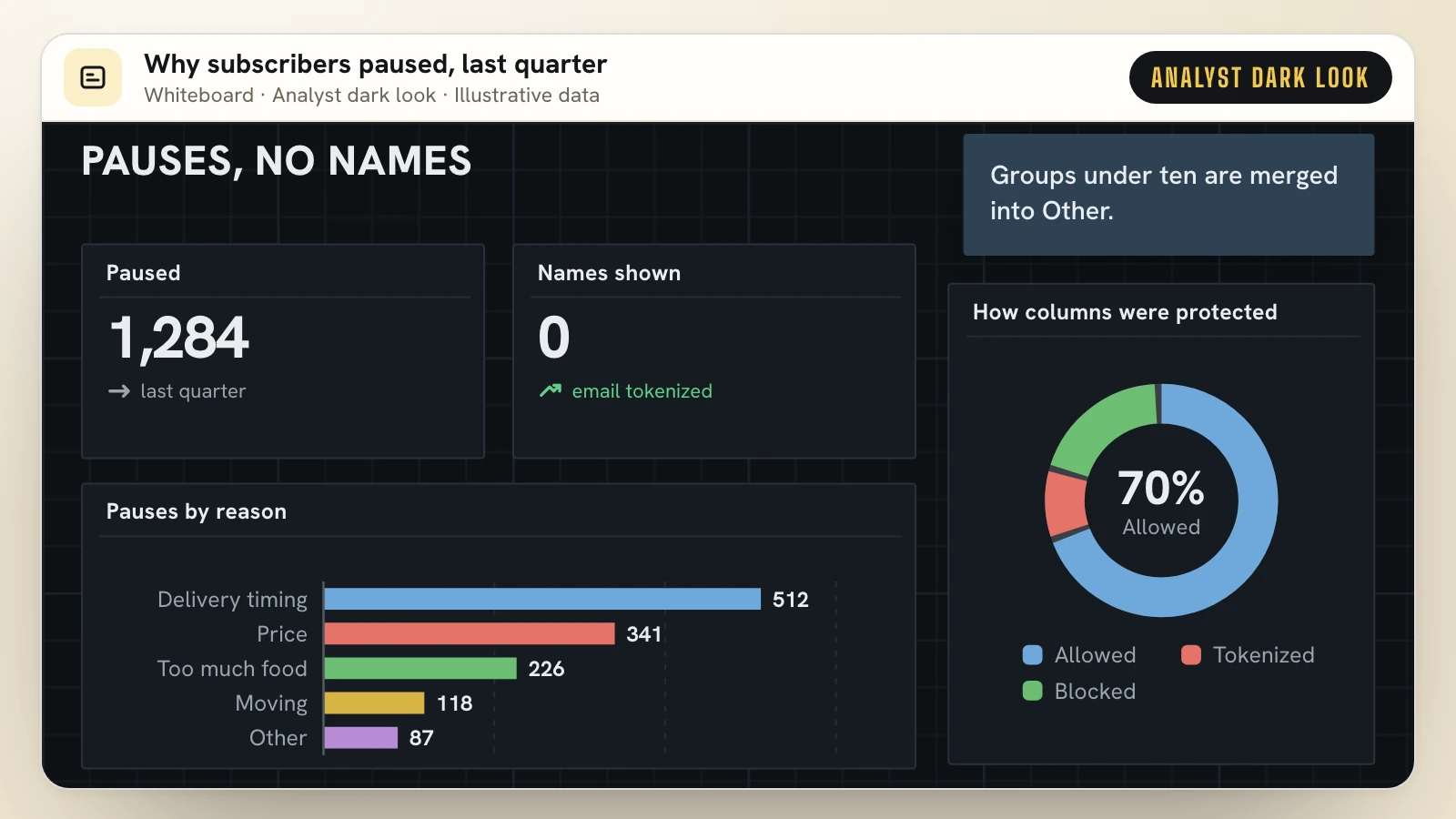
You can keep personal data out of an analysis by working backward from the question. Write down what you want to know, list the fields the answer truly needs, and protect everything else before anyone reads it. Then watch the three places where people slip back in: small groups, free-text notes and the copies you export.
Almost every customer question is about groups. Why did subscribers pause? Which region opens the most tickets? Do customers who call support renew less often? None of those needs a single name on screen. They need a way to tell that two rows belong to the same customer, and that is a much smaller thing than the customer’s identity.
We covered the four protections (allow, mask, tokenize, block) in PII masking for analytics. This post is the routine around them: what to do before, during and after the question.
A worked example
Priya runs customer operations at Greenhollow Kitchen, a meal-kit company with about 9,000 subscribers. Her boss wants to know why 1,284 people paused their subscriptions last quarter. She has three files: the subscription export from the billing system, the support desk’s ticket export, and a survey sheet with a free-text “anything else?” column.
Each file is full of personal data. The billing export has names, emails, street addresses and the last four digits of a card. The tickets have the customer’s email and whatever they typed. The survey has emails and comments, and some people wrote their phone number in the comment.
Here is what the question actually needs:
| Field | Needed for the answer? | Treatment |
|---|---|---|
| Customer email | Yes, to match files | Tokenize |
| Pause date, plan, region | Yes | Allow |
| Ticket category | Yes | Allow |
| Survey comment | Yes, for reasons | Read for themes; strip contact details |
| Name, street address | No | Block |
| Card last four | No | Block |
The email is the only thread that ties the three files together, so it becomes a token: the same email turns into the same stand-in in every file. Priya can count paused subscribers who also opened a ticket, and the count is identical to the one she would get on the raw emails.
The routine
Write the question before opening the data
“Why did people pause last quarter, and did a support problem come first?” A written question limits the work to the fields it needs. The GDPR describes the same idea as data that is “adequate, relevant and limited to what is necessary” (Recital 39). It’s good practice anywhere, and it also makes the analysis faster.
List the fields and give each one a treatment
Use the table above as a template. If a field is only there to link files, tokenize it. If no answer needs it, block it. Most columns in a business export aren’t personal at all and can be read as they are.
Check free text separately
Notes, comments and description fields are where phone numbers, names and account numbers hide. Treat any free-text column as personal until it has been scanned. You can still read it for themes; you just shouldn’t pass the raw text into a shared result.
Merge small groups before sharing
A breakdown by region, plan and pause reason can end with a cell that holds two people. If one of them is the only vegan-plan subscriber in a small town, the chart has named them without a name. Pick a minimum group size, such as ten, and fold anything smaller into “other”.
Watch the copies
The protected view is only as private as its exports. A CSV download, a screenshot pasted into chat or a spreadsheet emailed to a partner can carry values the dashboard never showed. Share the result, not the rows behind it, unless the reader needs them and is allowed to see them.
Name who may see real values, and why
Some people need a real email: the agent who calls a customer back, for example. Give that access per person and per field, and keep it out of the analysis itself.
What Priya found
With the email tokenized and the free text stripped of contact details, the answer took one afternoon. Of the 1,284 who paused, 512 named delivery timing in the survey, and 301 of those had opened a “late box” ticket in the four weeks before pausing. The late-box tickets clustered in two delivery zones. Priya’s report named the zones and the reasons. It named no customer.
“Of the subscribers who paused last quarter, how many opened a late-delivery ticket in the four weeks before?”
- matched pauses to tickets on the protected email, never the real one
- kept tickets opened in the 28 days before each pause
- grouped by delivery zone and merged any zone under ten people into other
301 of the 1,284 who paused had a late-box ticket first, most of them in two zones.
How Storek helps
Storek does the field-by-field work for you. When a file or a business system lands, it detects personal data in every column, including phone numbers buried in notes, and applies a rule to each one: allow, mask, tokenize or block. If it can’t apply a rule, the column stays hidden. The protection applies whenever data is read, in chat, dashboards, tables, reports and the AI assistant you connect, so there is no side door. Real values appear only for people with a reveal grant for that field, and the audit log records what was read without recording the values. The details are on our security page.
Because tokens match across files, questions like Priya’s stay ordinary: you ask in plain words, and the answer arrives with its working. Teams can try it on their own exports in a free 30-day pilot. To see it on data like yours, book a demo.
Sources
- Regulation (EU) 2016/679 (GDPR), Recitals 39 and 78 · EUR-Lex · checked November 15, 2026