Platform how-to · Sales operations
A Salesforce data health check you can run in an afternoon, and repeat every month
Most Salesforce orgs don't fail all at once. They drift, one skipped field and one forgotten import at a time. A short, repeatable health check tells you where the drift is before it reaches a board report.
Priya Raman had been the Salesforce admin at Fernhill Analytics for three weeks when the CFO asked a simple question in a leadership meeting: “How many active customers do we have?”
Sales said 2,340, from an account report. Finance said 2,010, from billing. Customer success said “about 2,100”, from a spreadsheet they kept themselves. Nobody was lying. Each number came from a different place, filtered a different way, and nobody had looked at the gaps between them in a long time.
Priya didn’t need a six-month data project. She needed a health check: a short list of tests she could run, explain, and repeat next month to show the numbers getting better.
What a Salesforce data health check is for
A health check is a set of questions about your data rather than about your business. How many records are probably duplicates? How many haven’t been touched in a year? How many contacts belong to no account? How many open opportunities have a close date in the past?
Each answer is a count, and each count points at a specific fix. The goal isn’t a perfect org. It’s knowing where the weak spots are, which ones affect a reported number, and whether they’re shrinking.
Salesforce already gives admins good tools for parts of this. Duplicate and matching rules catch many duplicates as records are created. Report types, filters and the “last activity” fields let you build most of the single-object checks yourself. What’s harder from inside one system is the check that needs another system, such as “which paying customers have no account here?”
The six checks to start with
Likely duplicates
Count accounts, contacts and leads that look like the same company or person. Don’t rely on the name alone: compare email domain, phone, billing address and any external ID you store. The duplicate leads, contacts and accounts guide covers how to tune matching and what to do with the pairs.
Stale records
Count records with no activity, no edit and no open opportunity in the last 12 months. Stale doesn’t mean wrong, but stale records inflate totals and clutter territories. The stale and orphan records article explains how to decide what counts as stale for your business.
Orphans
Count contacts with no account, opportunities on accounts that were merged away, and records owned by users who have left. Orphans are easy to miss in reports because they silently fall out of any grouping by account or owner.
Missing contact details
Count contacts with neither an email nor a phone. These records can’t be reached and can’t be matched to anything else, which makes them the hardest to keep clean.
Overdue open opportunities
Count open opportunities whose close date has already passed. This is usually the smallest number on the list and the one with the most effect on the forecast. Send the list to the owners and ask for a new date or a closed-lost.
Accounts that don't match billing
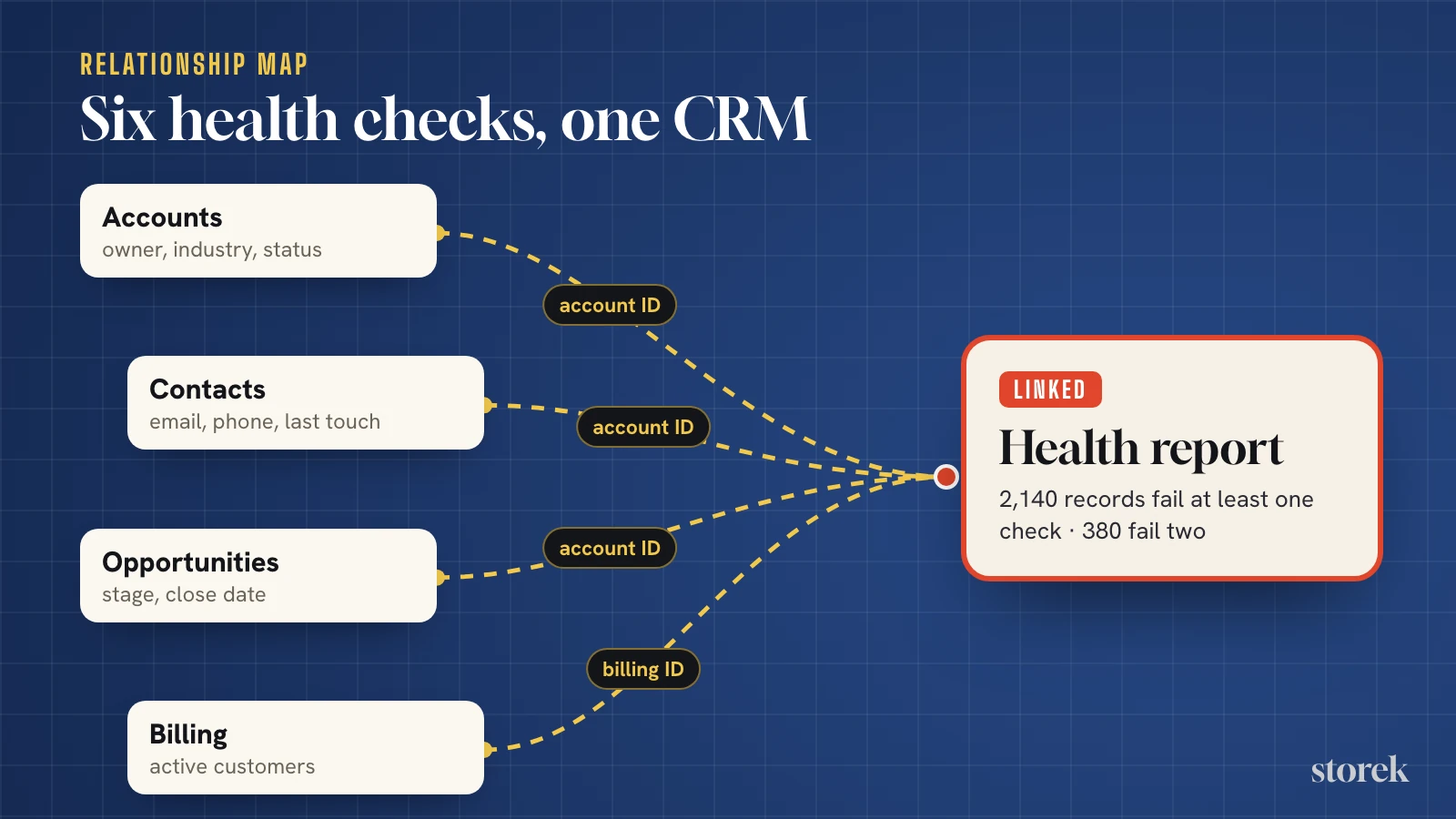
Compare customer accounts with the billing system in both directions: customers who pay but have no account, and accounts marked as customers that have no invoice in the last year. This check is the one that explained Priya’s three different customer counts.
The chart at the top of the page shows how Fernhill’s first run came out. Stale records were the largest group, which was no surprise. The 455 accounts that didn’t line up with billing were the surprise.
Running the cross-system check in Storek
Priya connected Fernhill’s Salesforce export and the billing system’s customer and invoice export to Storek. Storek worked out how the two sides relate (billing customer to account, invoice to customer) from the data itself, matching on email domain, address and the billing ID that some accounts already carried. Then she asked the question the way she’d ask a colleague.
“Which customers paid us in the last 12 months but don't have a customer account in Salesforce?”
- matched billing customers to Salesforce accounts on billing ID, then email domain and address where the ID was missing
- kept customers with at least one paid invoice in the last 12 months
- listed the ones with no matching account, or a matching account not marked as a customer
- set aside 31 borderline matches for a person to confirm instead of guessing
186 paying customers have no customer account in Salesforce, and 64 of them pay more than the median.
Dig deeper: see how it works
The match uses several clues together. A billing ID on both sides is taken as certain. Otherwise, the email domain must agree and the address or phone must agree too, and free email domains count as no evidence. Pairs that only half agree go to the review list rather than into the count, so the answer never rests on a guess.
Duplicates on the Salesforce side are flagged and filtered out of the count, not deleted, so a customer with two accounts is counted once and both records stay as they are.
For analysts
SELECT b.customer_id, b.customer_name, SUM(i.amount) AS paid_12m
FROM billing_customers b
JOIN invoices i ON i.customer_id = b.customer_id
  AND i.status = 'paid' AND i.paid_date >= CURRENT_DATE - INTERVAL 12 MONTH
LEFT JOIN account_match m ON m.billing_customer_id = b.customer_id AND m.confidence = 'confirmed'
LEFT JOIN sf_accounts a ON a.account_id = m.account_id AND a.type = 'Customer' AND NOT a.is_flagged_duplicate
WHERE a.account_id IS NULL
GROUP BY b.customer_id, b.customer_name
ORDER BY paid_12m DESC;
That list turned into a two-hour clean-up session with the sales operations team. Most of the gaps were customers bought through a partner, whose accounts had been created under the partner’s name. A few were genuinely missing.
Turning the checks into a monthly habit
A health check is only useful if it’s the same check every month. Three things help.
Write down the definitions
“Stale” needs a number of months. “Active customer” needs a rule. Write each one down once and use it everywhere. In Storek these live as shared definitions, so the health check, the dashboards and anyone asking a question in chat all use the same meaning. Priya’s team agreed that an active customer is an account with a paid invoice in the last 12 months, which settled the three-number argument for good.
Track the trend, not just the total
Put the six counts on one small dashboard with last month beside this month. A falling duplicate count tells the sales team their clean-up is working. A rising stale count after a big event import tells you to tighten what gets imported.
Send each list to the person who can fix it
Overdue opportunities go to their owners. Orphan contacts go to the admin. Billing mismatches go to finance and sales operations together. A count with no owner tends to stay the same next month.
What changed at Fernhill
By the next leadership meeting, Priya had one customer number, a definition beside it, and a short list of what was still being fixed. The CFO’s question took ten seconds to answer. The following month, the billing mismatch count had fallen from 455 to 120, and the team could see why.
Start with one check
If six checks feel like a lot, start with the one that changes a reported number: overdue open opportunities, or customers missing from billing. Connect your Salesforce export and the system you want to check it against, ask the question in plain words, and keep the answer as a dashboard tile. Next month, run it again and see what moved.