Platform how-to · Agencies and partners
White-label analytics for agencies and consultancies: your logo, colors and domain, and one isolated workspace per client
Clients want their numbers somewhere that looks like you, not like the software you bought. They also want to know their data never sits next to another client's. Here's how to set up both.
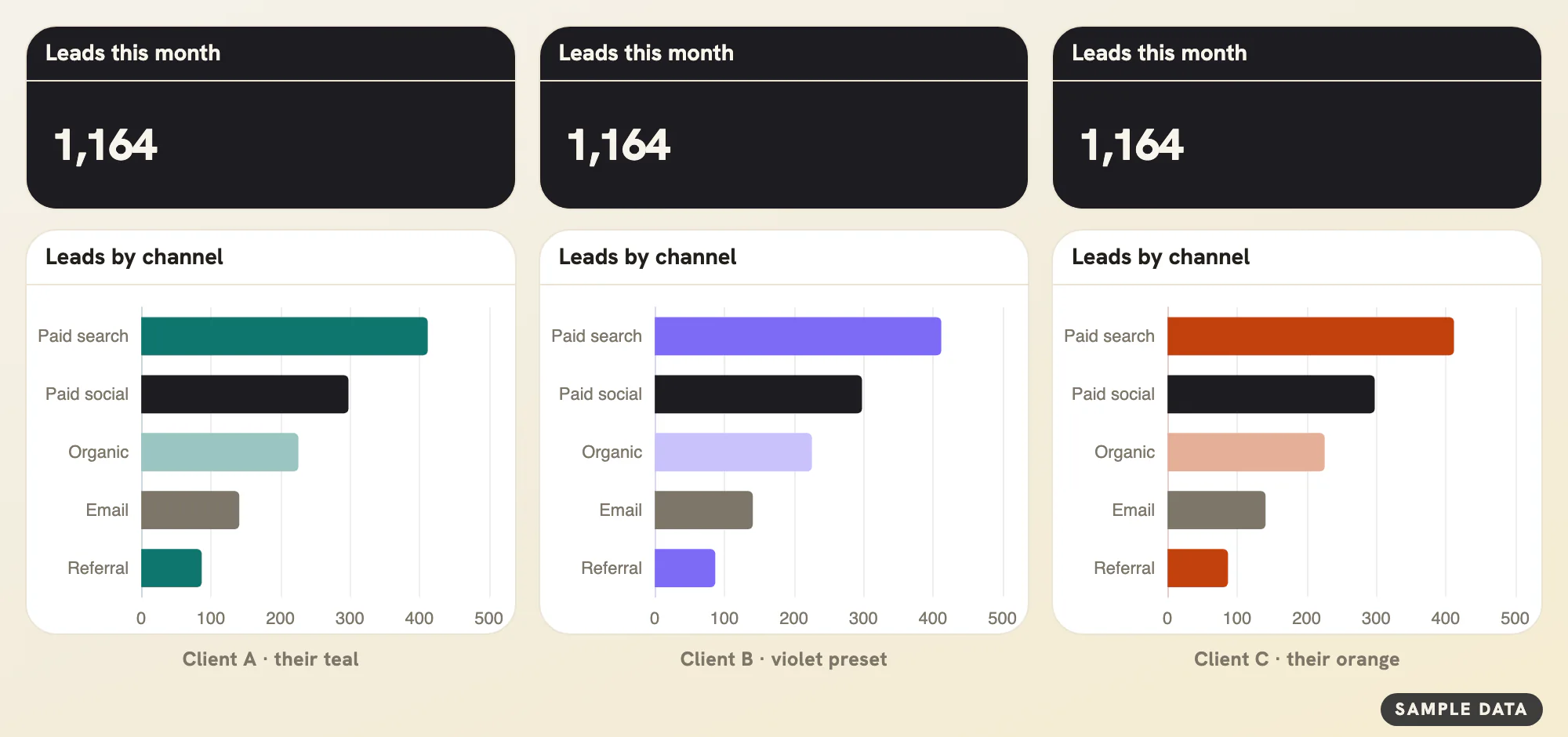
Agencies and consultancies get two questions from every client sooner or later. “Can this look like it comes from you?” And, from the client’s IT or legal person, “Who else’s data is in there with ours?”
The first is a branding question. The second is an architecture question, and it deserves a better answer than a permissions screen.
What white-label should cover
A logo in the corner isn’t white-label. Clients notice the gaps: a sign-in page with someone else’s name, a PDF footer from the vendor, a chart in the vendor’s colors. Check every surface a client touches.
| Surface | What should carry your brand | In Storek |
|---|---|---|
| Sign-in | Your name, logo and domain | Yes, with custom domains |
| Dashboards and tables | Logo, colors, fonts, chart palette | Yes |
| PDF reports | Logo and colors on every page | Yes |
| AI-connector consent screen | Your name when a client connects their assistant | Yes |
| Logo variants | Light, dark, and a small mark for the connector | Yes |
Setting up a client’s brand
Start from the client's own brand files
Upload the client’s logo or a brand document. Storek’s brand extraction proposes colors from it, and an admin confirms before anything changes. Saving the confirmed colors as the workspace’s accent sets the default series colors for every chart.
Add logo variants and fonts
Add a light and a dark version of the logo, and a small mark for the AI-connector consent screen. Set the fonts so dashboards and PDFs match the client’s own documents.
Pick a chart palette
The accent drives the default chart colors, or you can pick one of the curated palettes for the whole workspace. The palette and dark mode article shows the same chart in each.
Put it on your domain
Point a custom domain at the workspace, so the client signs in at an address you choose rather than the vendor’s.
One isolated workspace per client
Here is the architecture question. When all clients share one database, separation depends on a filter applied to every query. One missed filter in one report and a client sees another client’s numbers.
Storek runs each client as its own workspace, and each workspace gets dedicated everything: its own app instance, its own databases, file storage, search index, compute, rate limiter and web address. There is no shared table to filter, because there is nothing shared.
- Client A workspaceOwn app instance, databases, storage, compute, domain
- Client B workspaceOwn app instance, databases, storage, compute, domain
- Client C workspaceOwn app instance, databases, storage, compute, domain
This also makes the end of an engagement simple. A client’s data is one workspace: whole-workspace export is available on request, and then the workspace can be deleted.
Inside each workspace, the usual protections still apply. Personal data in a client’s CRM or order exports is detected and masked when read. Reveal grants go per person and per field, so your analyst can count a client’s customers without seeing their emails. An admin can use “view as” to see exactly what a client user sees, and that is audited too.
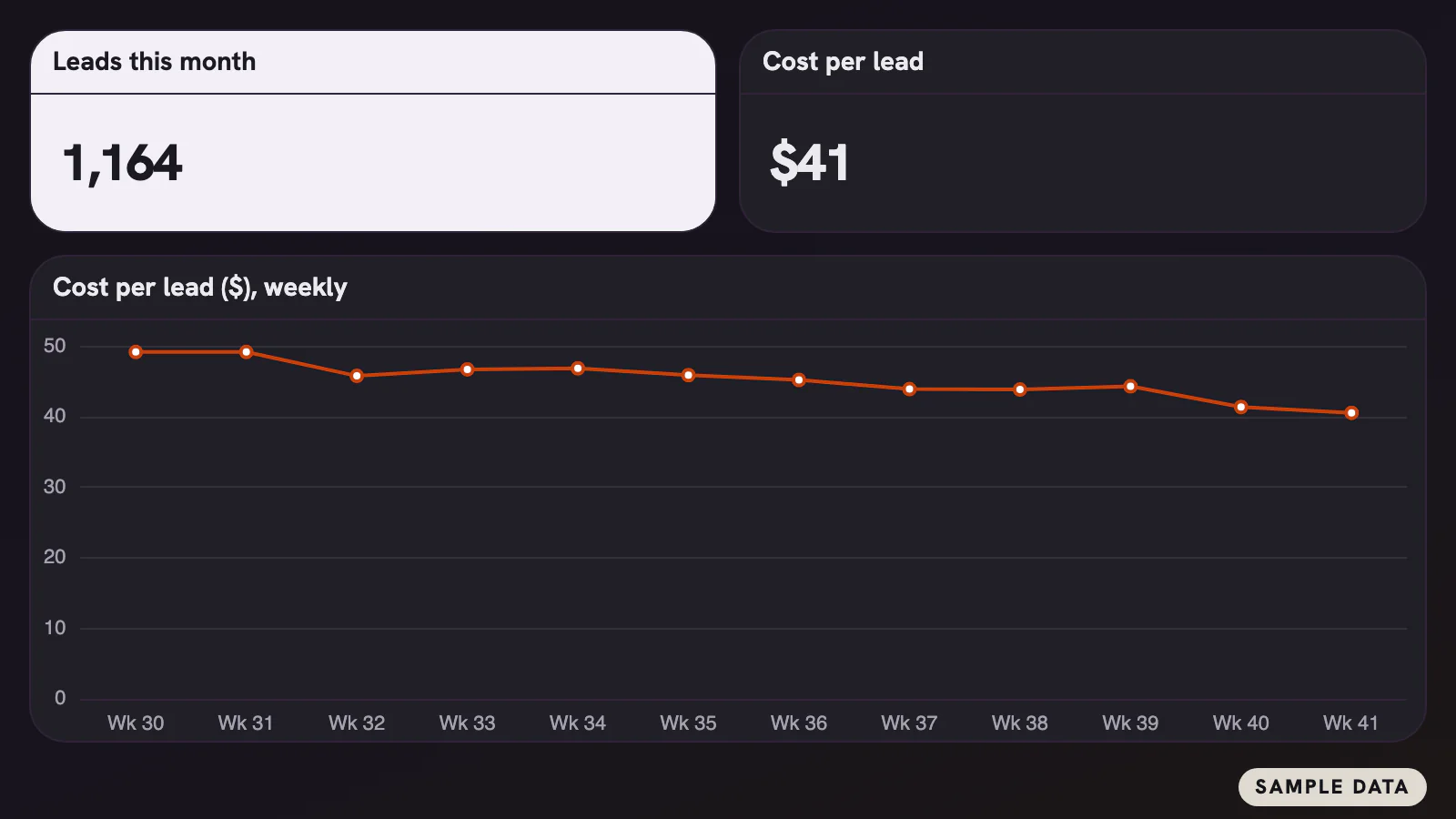
The monthly report
Most agency work ends in a document. Storek’s reports are branded PDFs with an executive summary, the findings, and a methodology appendix that lists every query and its row count. There are four templates. The appendix matters more than it sounds: when a client’s finance lead asks where a number came from, the answer is already in the report.
Making it part of the client relationship
The best agency reporting stops feeling like a deliverable and starts feeling like a service the client opens on their own. When the dashboards carry the client’s own brand and refresh themselves, account managers spend the monthly call on what changed and what to do next, instead of explaining where the numbers came from. Clients can ask their own follow-up questions in plain words between meetings, and the answers stay inside their private workspace, under the same privacy rules as everything else. That turns a monthly PDF into something the client relies on every week, which is exactly the kind of work that keeps a retainer renewing.
What it costs to run ten clients
Storek’s Partner plan is priced per client workspace, not per seat. It starts at $2,000 a month for three client workspaces, and each additional client is $400 a month, billed yearly. Ten clients come to $4,800 a month, or about $58,000 a year. Each client workspace gets 1,000 credits a month, where one credit is about one everyday question. Full white-label and custom domains are included.